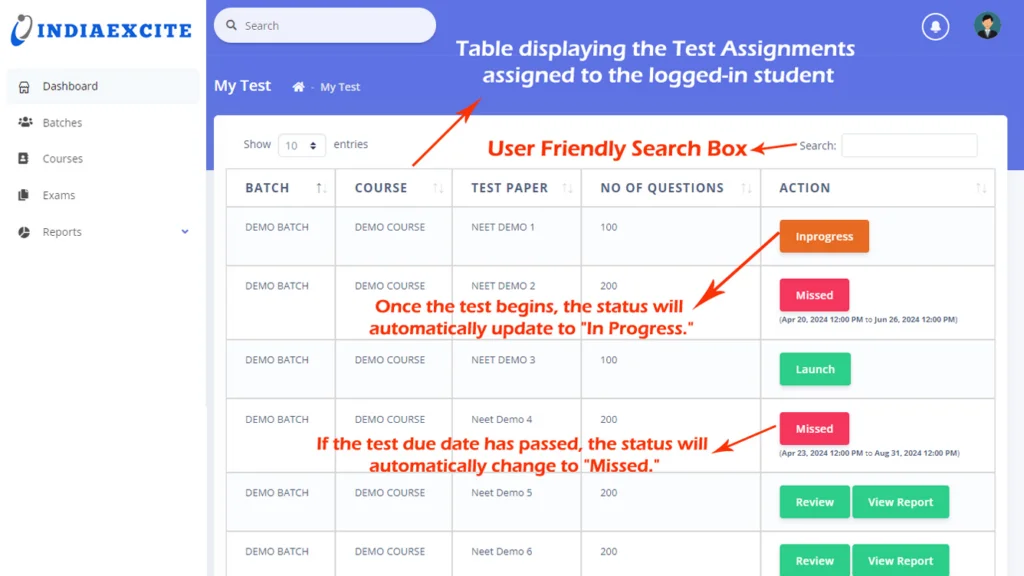
Our MCQ Application offers a seamless experience for students, administrators, and faculty. The student login window allows users to access the platform via their student ID, mobile number, or email address, with secure, encrypted passwords. Once logged in, students are presented with a comprehensive dashboard that showcases their enrolled courses, open tests, and detailed reports. Interactive features such as pie-chart analytics and assessment lists offer easy access to test reviews, performance reports, and test progress, providing a user-friendly and engaging experience.
Streamlined Test Management and Navigation
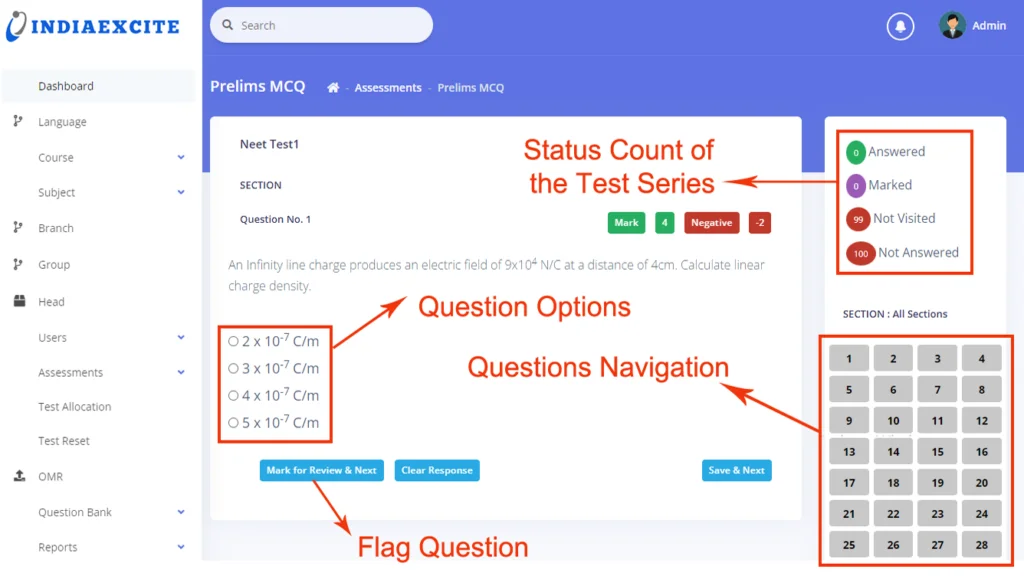
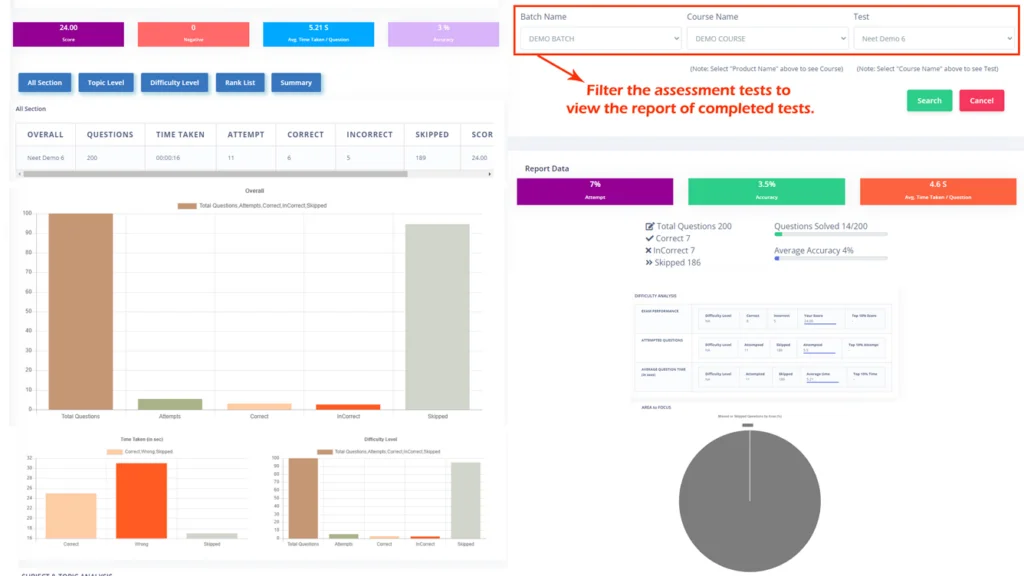
Students can easily access courses, tests, and reports through the portal. Each test is accompanied by detailed instructions, a timer, and a variety of navigational tools such as “Mark for Review & Next” and “Save & Next.” Students can navigate through subject-specific topics, view each question’s score and negative marks, and utilize features like “Clear Response” to update answers before submitting. Tests in progress can be paused and resumed seamlessly. Comprehensive reports, including overall performance, topic-wise analytics, and time management, help students evaluate their progress.
Powerful Administrative Features
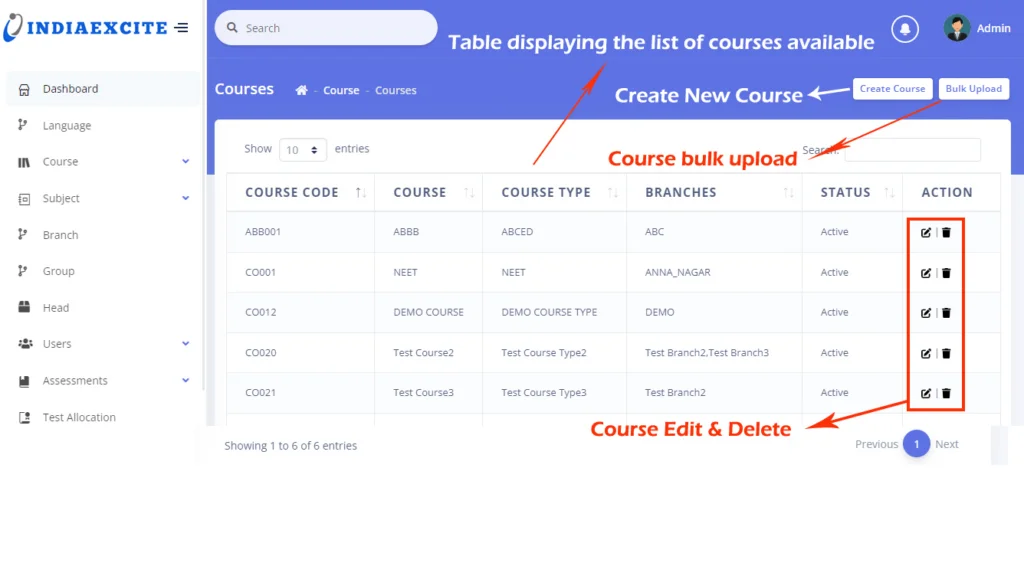
The admin dashboard provides robust tools for managing courses, students, and assessments. Administrators can create courses, assign test series, and utilize bulk upload features for managing data like users, courses, and assessments. The system allows for easy management of branches, subjects, and user roles, ensuring flexibility in assigning roles and responsibilities. With an intuitive interface, admins can quickly search, filter, edit, or delete courses, subjects, and users, streamlining workflow and enhancing productivity.
Assessment and Test Management
Our MCQ application allows admins to create and assign assessments to multiple courses simultaneously, set time limits, assign questions, and define scoring criteria such as correct and negative marks. Admins can preview assessments using the “Try Assessment” feature to ensure that tests are functioning as intended before student access. Test allocation can be done manually or in bulk, and the system supports test resets and Optical Mark Recognition (OMR) uploads for offline exam results, making it easy to manage large volumes of data.
Advanced Reporting and Analytics
The application offers detailed reports for both students and administrators. Students can view their performance through overall reports, test analytics, and bar chart visualizations of correct, incorrect, and skipped questions. Admins, on the other hand, can access comprehensive test results for all students or search for individual reports by student ID, course, or branch. The system’s powerful search and sorting capabilities ensure that the necessary data is always just a click away, providing both students and administrators with valuable insights.